
How to Completely Delete Your Personal Data Before Selling Old Devices
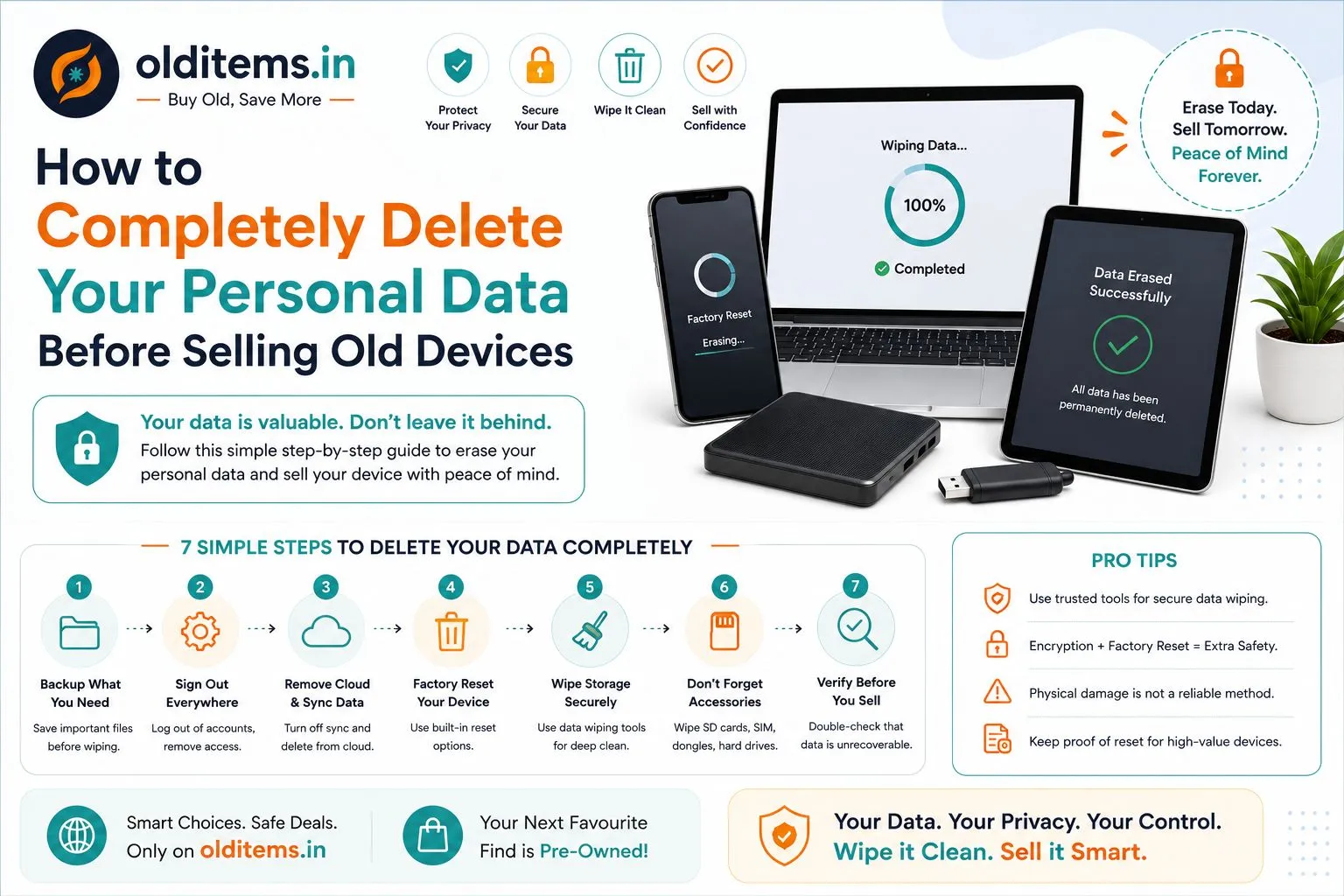
Selling your old smartphone, tablet, or laptop is a great way to pocket extra cash. However, one major concern stops many people from listing their old devices online: "What if the buyer recovers my photos, banking logins, or private files?"
Simply hitting "delete" on your files isn't enough, as basic file recovery software can easily retrieve deleted items from unencrypted storage. When listing your gadgets on India's trusted free classifieds marketplace, keeping your personal data protected is priority number one.
Follow this step-by-step checklist to permanently wipe your personal data and prepare your tech for a safe handover.
1. Back Up Everything First
Before removing any account or resetting your device, secure all your personal files:
Mobiles: Back up contacts, WhatsApp chats, and media using Google Drive (Android) or iCloud (iPhone).
Laptops: Copy important documents, invoices, and photos to an external hard drive or cloud storage like OneDrive or Dropbox.
Before meeting up with local buyers, make sure you understand how local direct handovers work on our platform.
2. Unlink Cloud Accounts & FRP (Crucial Step!)
Many sellers format their phones without logging out of their accounts, which triggers Factory Reset Protection (FRP). This locks the buyer out of the device completely.
On Android: Go to Settings → Accounts & Sync, select your Google Account, and tap Remove Account.
On iPhone: Go to Settings → [Your Name], scroll down, and tap Sign Out to turn off Find My iPhone and unlink your Apple ID.
On Laptops: Sign out of Microsoft Office, iTunes, browser sync profiles, and web bank accounts.
Safety Reminder: Protecting your personal accounts is a key part of online transactions. Be sure to review our complete buyer and seller safety tips for worry-free local sales.
3. Perform a Deep Factory Reset
For Android Phones:
Go to Settings → System → Reset options.
Select Erase all data (factory reset).
Extra Security Tip: Turn on device encryption under security settings before running the factory reset. This scrambles any leftover data traces permanently.
For iPhones:
Go to Settings → General → Transfer or Reset iPhone.
Tap Erase All Content and Settings. (Apple automatically encrypts stored data, making it unrecoverable once wiped).
For Windows Laptops:
Go to Settings → System → Recovery.
Click Reset PC and choose Remove Everything.
Select Clean the drive fully instead of "Just remove my files." This overwrites drive sectors with blank data so files cannot be recovered by any third-party tools.
4. Remove Physical Memory Cards & SIMs
Double-check all ports and card slots before meeting your buyer:
Remove your physical SIM card and microSD memory card from phones or tablets.
Unplug any USB dongles, wireless mouse receivers, or SD card adapters from laptop ports.
Upgrading Tech or Clearing Out Household Items?
Whether you are preparing a laptop for sale or looking for your next pre-owned upgrade, check out our other popular guides:
Selling Strategy: Learn how to get the maximum resale value for your old phone or laptop.
Buying Advice: Comparing options? Read our breakdown of Refurbished vs. Second-Hand Laptops.
Other Electronics: Upgrading your living room screen? Check our 7-point checklist for buying a used Smart TV.
Home Decor & Furniture: Moving homes? Read our comprehensive guide on selling pre-owned furniture online.
Is Your Device Clean and Ready to Sell?
Now that your data is wiped and your device is completely secure, take a few clear photos in bright natural light and get ready to list it!
Post your free ad on Olditems.in today to connect directly with buyers in your city, or explore live listings in pre-owned electronics. If you ever need assistance with your account or active ads, feel free to contact our support team.
Frequently asked questions
Comments
Leave a comment
Your email is never published. Comments appear after moderation.